📚 equosBooks Overview
equosBooks is a free desktop bookkeeping app for Australian small businesses, sole traders, and freelancers. This page will guide you through what equosBooks is, who it suits, and where to find each part of this guide.
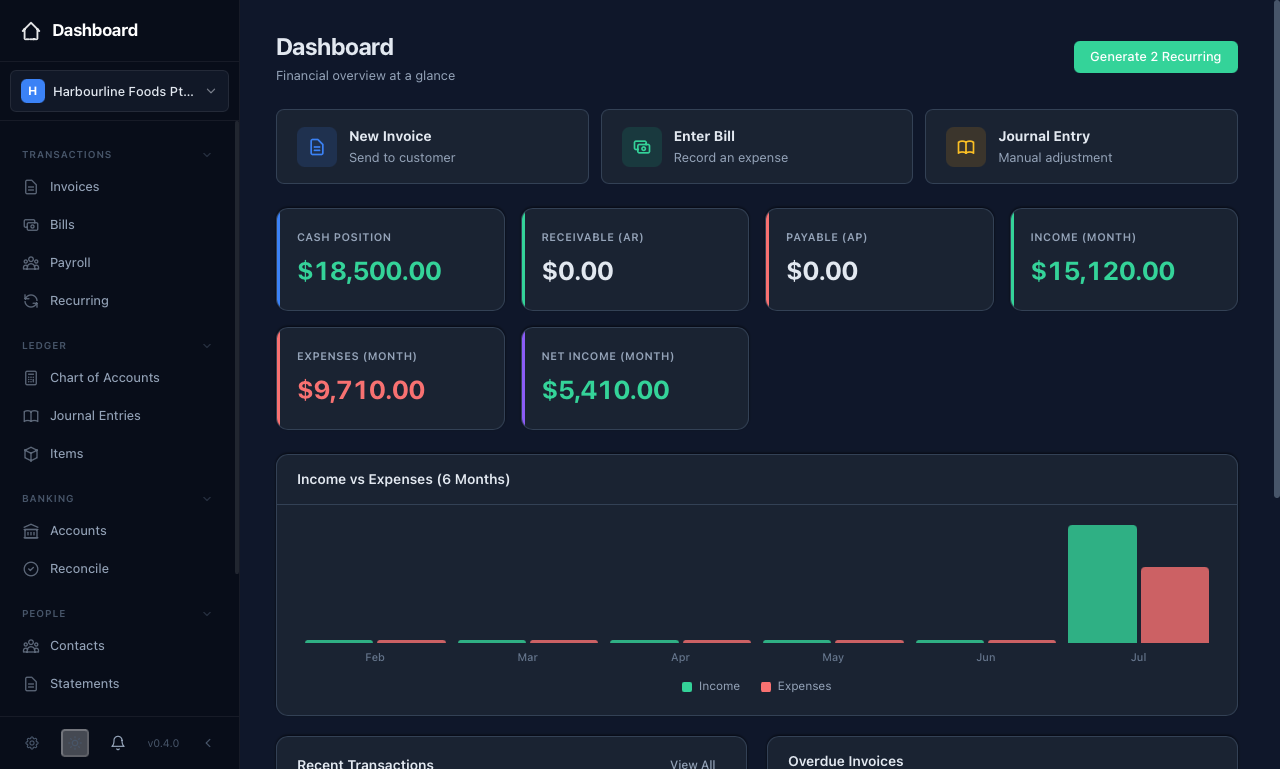 The dashboard gives you your cash position, income, expenses, and net income for the month at a glance, with a six-month income-versus-expenses chart below.
What equosBooks is
equosBooks is a desktop application that runs on Windows, Mac, and Linux. Your books live in a local file (an SQLite database) on your own machine, so your financial data stays with you and works without an internet connection. An optional off-site backup is available — when you turn it on, your file is encrypted with your passphrase before it leaves your computer. This ensures you keep full control of your data while still having a safety net if your machine is lost or replaced.
There is no subscription and no account to create. You simply download equosBooks, install it, and start keeping your books.
Who it is for
equosBooks is built for small Australian businesses that want to manage their own bookkeeping without a monthly bill. It handles invoicing, bills, bank reconciliation, GST tracking, basic single-jurisdiction (AU) payroll with PAYG and super, and a full set of financial reports — enough for a sole trader, a growing trades business, or a small not-for-profit to run their books end to end.
Guide map
Each guide below covers one part of equosBooks. Start with the getting-started pages, then dip into the workflow and ledger guides as you need them.
Getting started
Everyday work
Ledger and banking
People, groups, and admin
How it relates to EQUOS
equosBooks is one of the free desktop apps in The Annex, which sits beside the EQUOS platform. It is fully standalone — it keeps your books on your own machine and does not need an EQUOS subscription or account to run. If you also use the EQUOS platform, the two are separate tools that you can use side by side. For a short summary of where equosBooks fits, see the equosBooks entry in The Annex.