📦 Items & Inventory
Items are your saved catalogue of products and services. Once an item is set up, you can drop it onto an invoice or bill and its details fill in for you. This page will guide you through building your item list and using items on your documents.
The item list
Open "Items" from the sidebar to see your catalogue. Each row shows the item's name, SKU, type, sales price, and cost. Use the search box to find an item by name, SKU, or description, and tick "Show inactive" to include items you have retired.
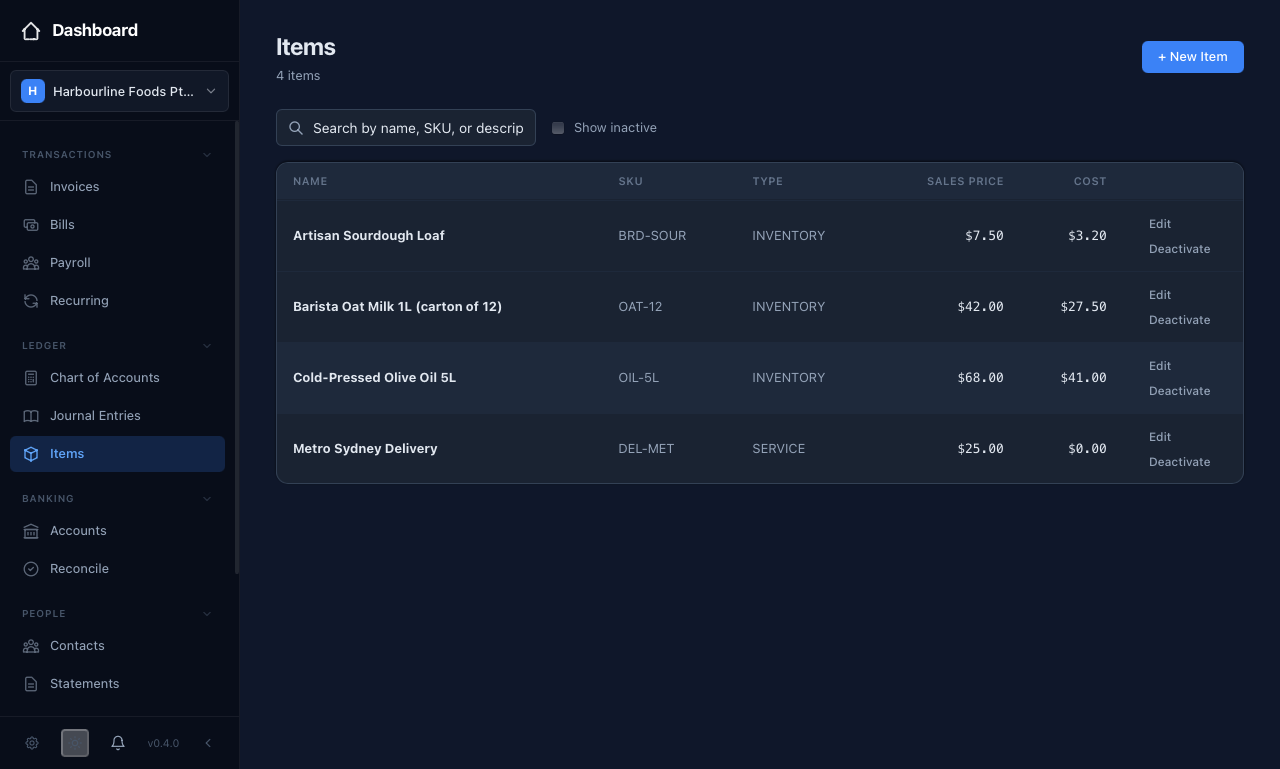 The item list shows each product and service with its name, SKU, type, sales price, and cost.
Adding an item
Press "+ New Item" and fill in the form:
- Name — required; how the item reads in pickers and on documents
- SKU / Code — an optional short code, such as "WIDGET-001"
- Type — Service, Inventory, Non-Inventory, or Bundle
- Default Tax Code — for example GST, applied to lines that use this item
- Description — optional; prefills the line description on bills and invoices
- Sales Price and Cost — the price you charge and the price you pay
- Income Account and Expense Account — where sales and purchases of this item are coded
Press "Save". This ensures every document that uses the item is priced and coded consistently, so you are not retyping the same details each time.
Using items on invoices and bills
When you add a line on an invoice or bill, choose the item in the "Item" column. equosBooks fills the line's description, tax code, and account, and sets the price — the sales price on an invoice, or the cost on a bill. You can still edit any of these on the line before saving.
Retiring an item
To take an item out of circulation, press "Deactivate" on its row and confirm. A deactivated item no longer appears in the invoice and bill item pickers, but stays in your records; press "Reactivate" at any time to bring it back. This lets you tidy the picker without losing history.
A note on stock levels
Items in equosBooks are a bookkeeping catalogue: they speed up and standardise your data entry, but they do not track quantities on hand. If you need real-time stock levels, low-stock alerts, and warehouse movements, that lives in the EQUOS platform's Inventory module rather than here.
Related guides
- Invoices and Bills — where items save you time on every line
- Chart of Accounts — the income and expense accounts items post to