🖋 Journal Entries
A journal entry is a manual accounting adjustment that doesn't come from an invoice or a bill. This page will guide you through posting a balanced entry and knowing when you need one.
When to use a journal entry
Most of your bookkeeping flows through invoices, bills, and payroll, which post their own entries for you. A manual journal entry is for the adjustments that sit outside those, such as:
- Depreciation of an asset
- Accruals and prepayments
- Bank fees or interest not tied to a document
- Correcting a miscoded transaction
The journal entries list
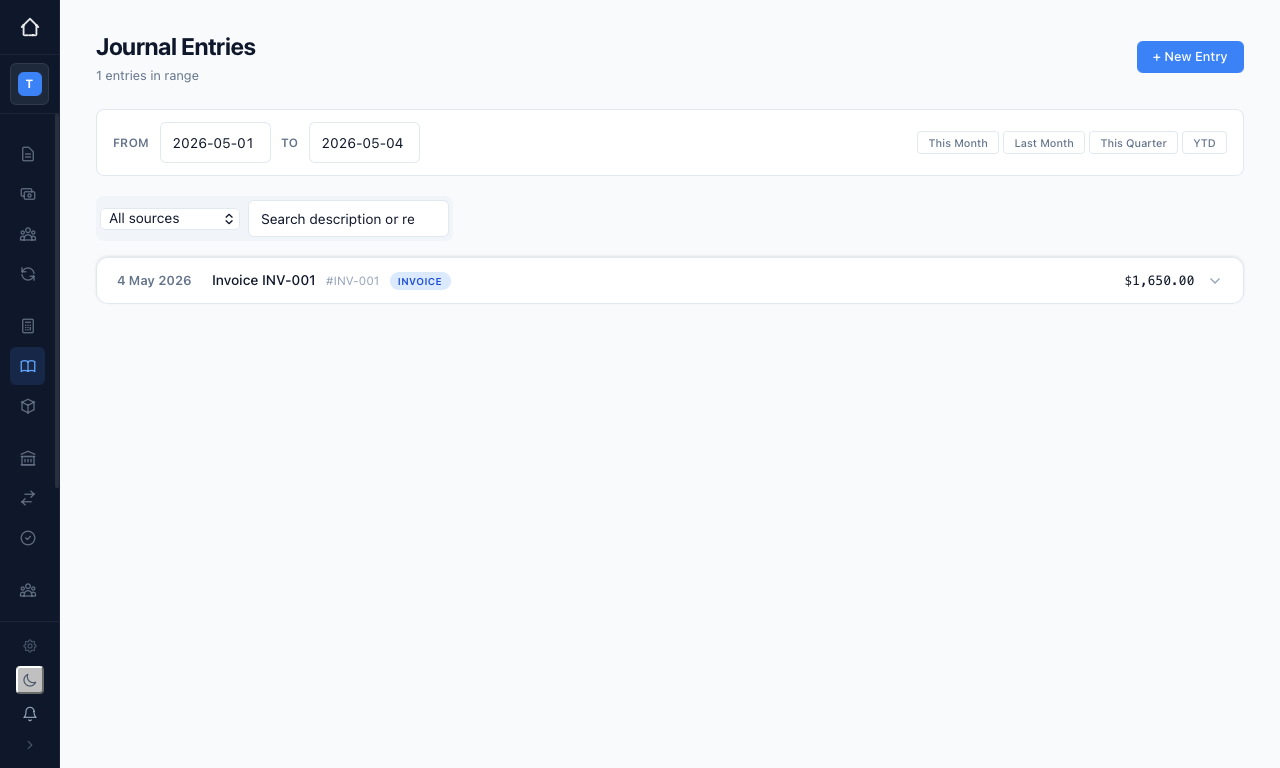
Open "Journal Entries" from the sidebar to see your posted entries. Each row shows the date, a description, its source, and the amount, and you can expand a row to see the underlying debits and credits. The date range and "This Month", "Last Month", "This Quarter", and "YTD" buttons narrow the view, and the source filter and search box help you find a particular entry.
Creating a journal entry
Press "+ New Entry" to open the entry form.
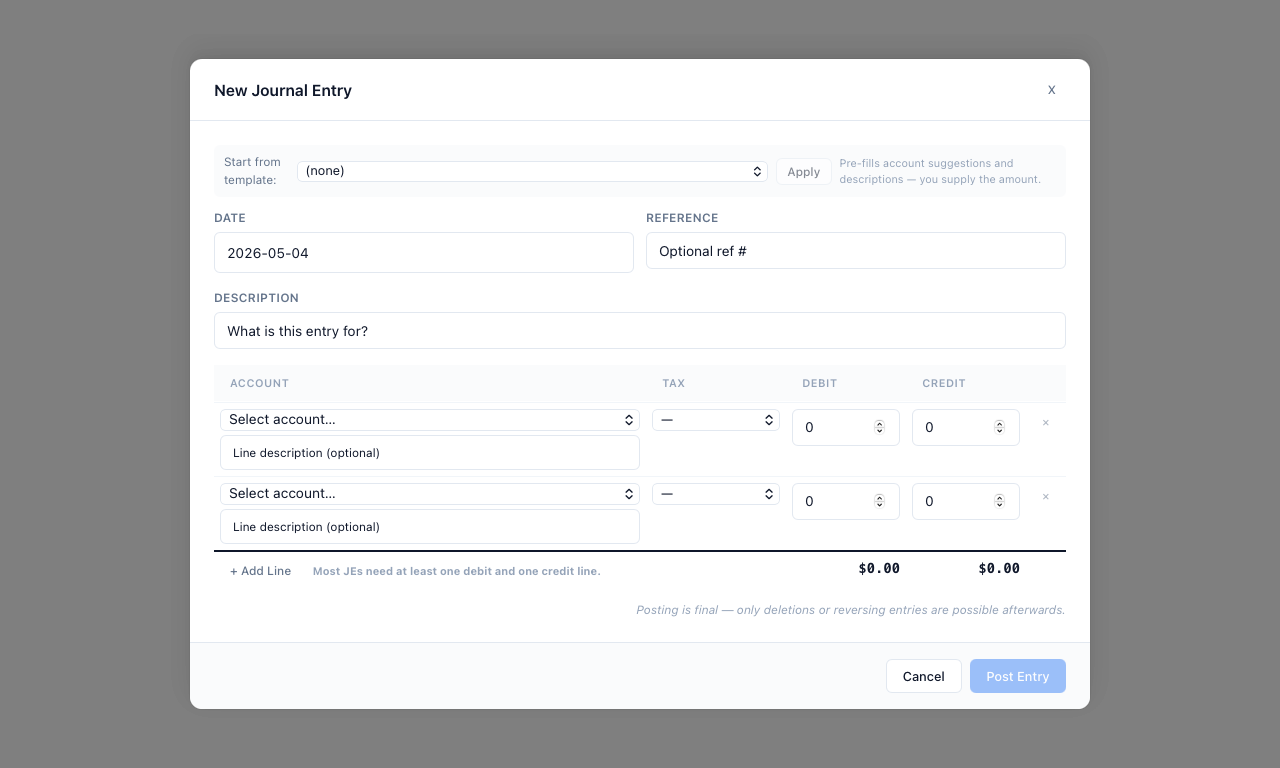
Fill in the details:
- Date — when the entry should be recorded
- Reference — an optional reference number
- Description — a note explaining the purpose of the entry
- Lines — add two or more, each with an account, an optional line description, and either a Debit or a Credit amount
To save time, you can pick a ready-made layout from the "Start from template" list and press "Apply"; equosBooks suggests the accounts and descriptions, and you simply supply the amounts.
Every entry uses double-entry accounting: total debits must equal total credits before you can post. As a rule of thumb, a debit increases an asset or expense and reduces income, a liability, or equity; a credit does the reverse. The running debit and credit totals at the foot of the form show you when the entry balances.
Use "+ Add Line" for more rows. When the totals match, press "Post Entry" to finalise it.
Posting a journal entry is final. To change a posted entry you must delete it or post a reversing entry — it cannot be edited in place. This protects the integrity of your audit trail.
Related guides
- Chart of Accounts — the accounts your entries debit and credit
- Reports — see entries reflected in your Trial Balance and General Ledger