🔁 Recurring Transactions
Recurring transactions are templates for the entries you post again and again — a monthly retainer invoice, the office rent bill, or a regular depreciation journal. This page will guide you through building a template, setting its schedule, and generating the entries when they fall due.
Creating a template
Open "Recurring" from the sidebar and press "+ New Template". The "New Recurring Template" window lets you build one of three kinds, using the switch at the top:
- Invoice — a repeating customer invoice
- Expense / Bill — a repeating supplier bill
- Journal — a repeating manual journal entry, which must balance
Give the template a Name (for example, "Monthly Retainer"), then set the schedule and details:
- Frequency — Weekly, Bi-weekly, Monthly, Quarterly, or Yearly
- Start / Next Date — when the next entry should be generated
- End Date — leave it blank for an ongoing template
- Customer or Vendor and Payment Terms — for invoice and bill templates
- Line Items or Journal Lines — the same rows you would enter on a one-off document
Press "Save Template" to store it. This ensures the coding, amounts, and tax are captured once and reused every cycle.
Managing your templates
The list shows each template's name, type, frequency, next date, end date (or "Ongoing"), status, and when it last ran. A template due today has its next date highlighted, and the header shows how many are due. From the row you can "Skip" the next occurrence — which advances the schedule without creating an entry — or "Delete" the template entirely.
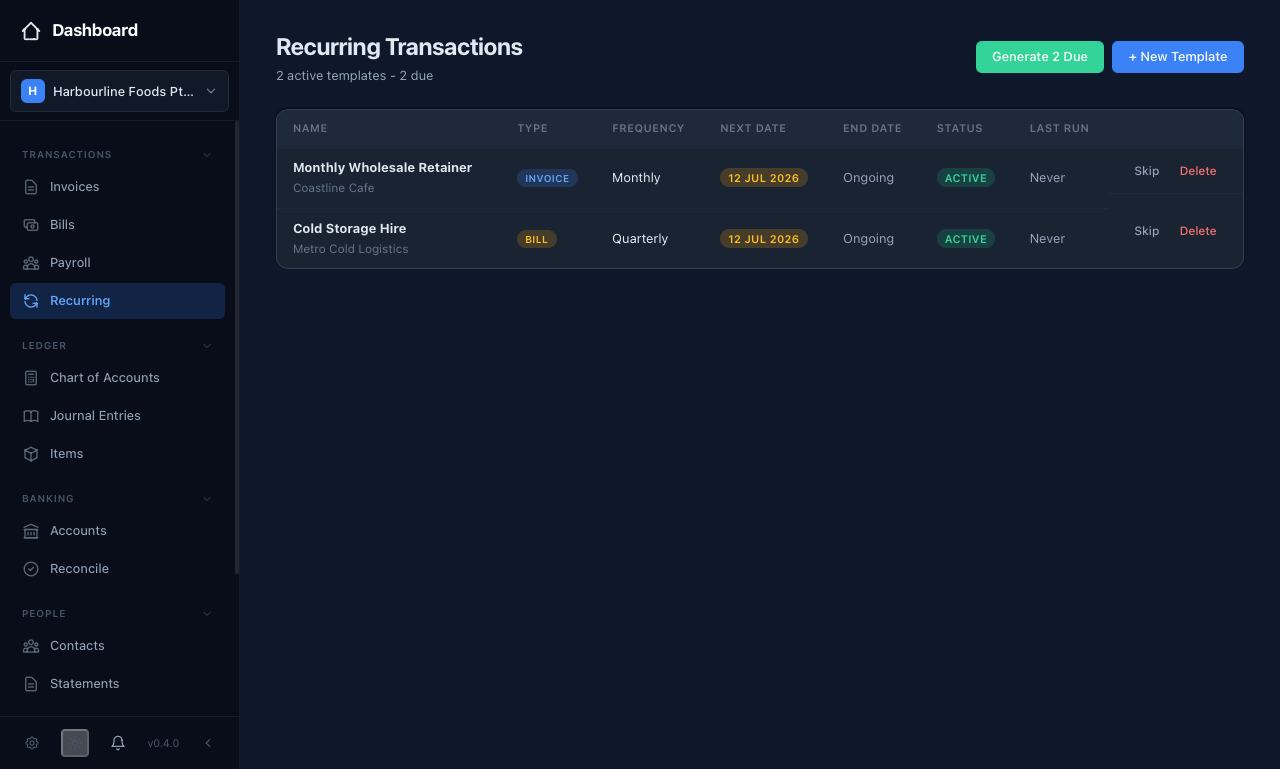 The template list shows each template's type, frequency, next date, and status — with a "Generate" button in the header when entries are due.
Generating entries
Nothing posts on its own. When one or more templates are due, a green "Generate [N] Due" button appears in the header. Press it and equosBooks creates the due invoices, bills, and journal entries in a single pass, then advances each template to its next date. A message confirms how many of each were generated. This keeps you in control of exactly when the entries hit your books.
Generated invoices and bills land as normal documents, so you can then record payments against them just like any other.
Related guides
- Invoices and Bills — the documents recurring templates produce
- Journal Entries — for recurring manual entries such as depreciation