📊 Reports
Reports turn the entries you make every day into the statements you, the tax office, and your accountant actually read. This page will guide you through the reports equosBooks produces, how they are grouped, and how to run one.
The reports hub
Open Reports from the sidebar to see every report in one place, grouped by what it is for.
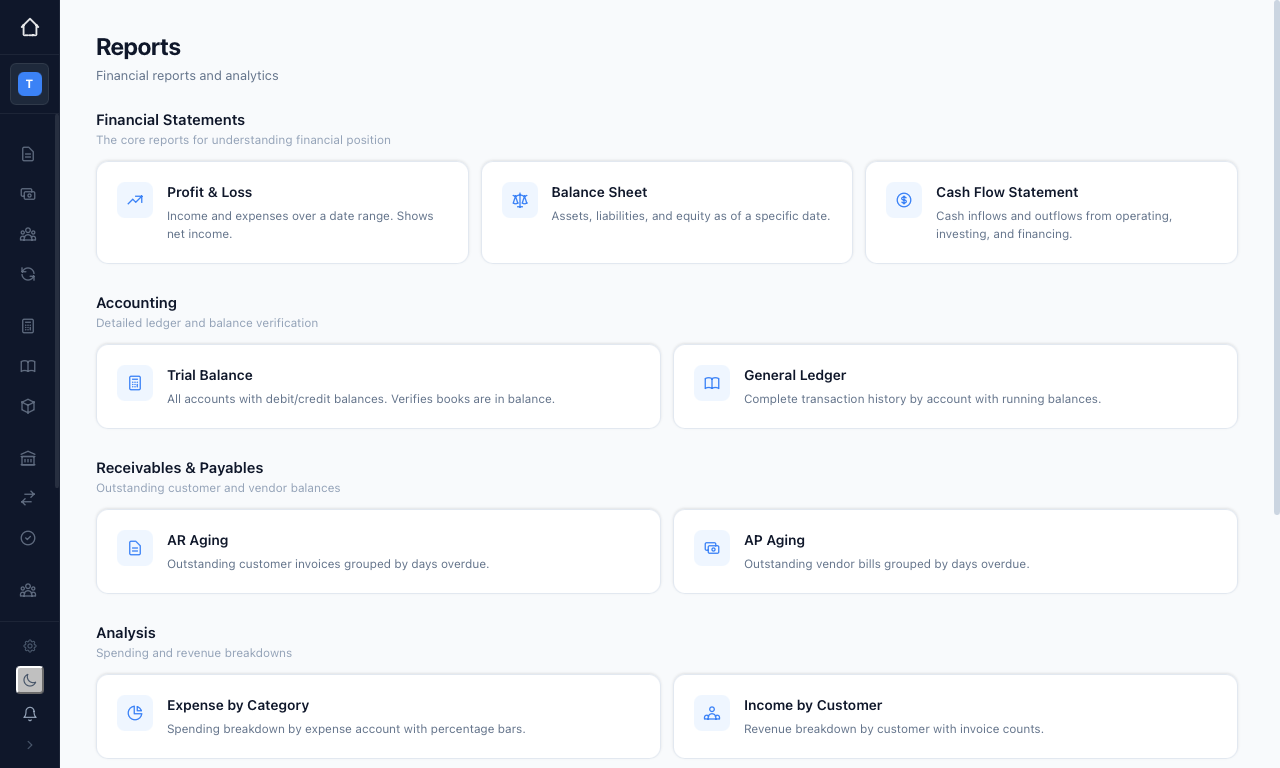
Click any card to open that report. Most reports open with a date selector at the top and a "Generate" button, plus quick presets such as "This Month", "This Quarter", or "YTD" so you can jump to a common period without typing dates. You can "Export CSV" or "Print / PDF" from the report itself, and "All Reports" takes you back to the hub.
Financial statements
These are the core reports for understanding your position.
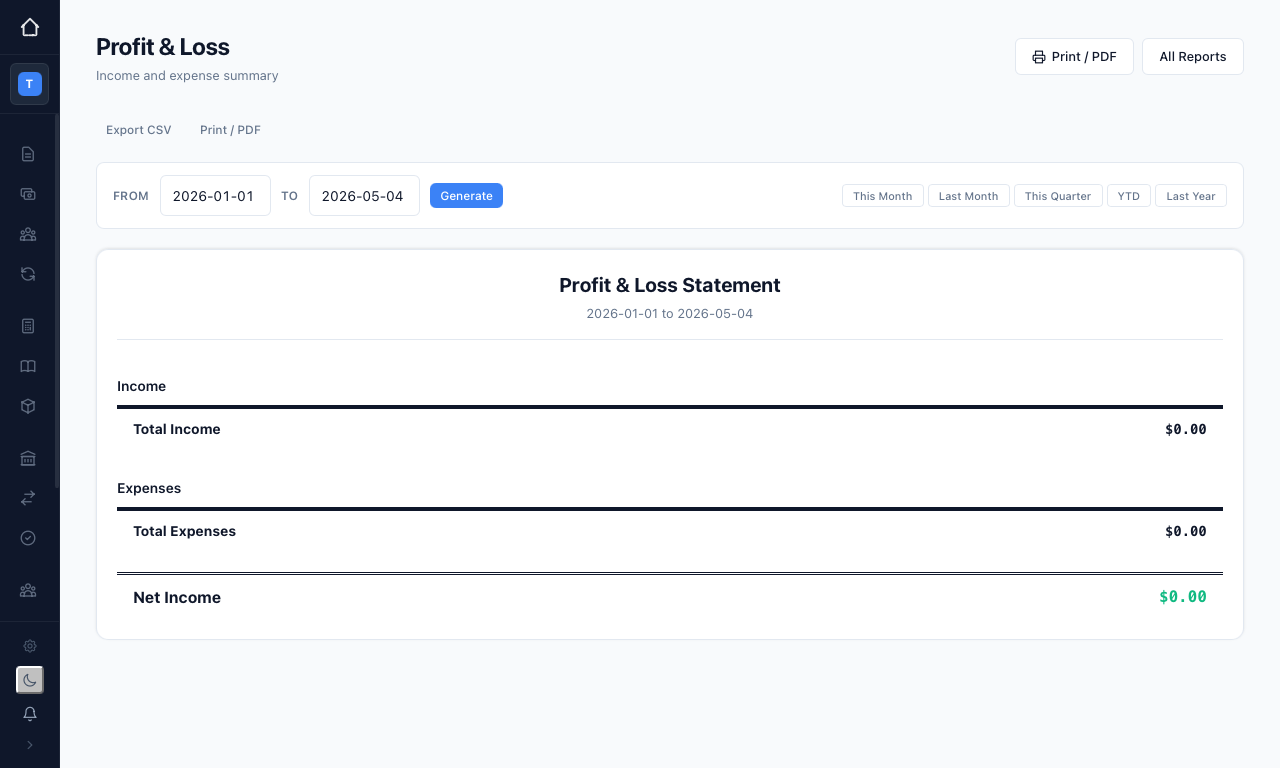
- Profit & Loss — your income and expenses over a date range, ending in net income. Pick a "From" and "To" date, or use a preset, and press "Generate".
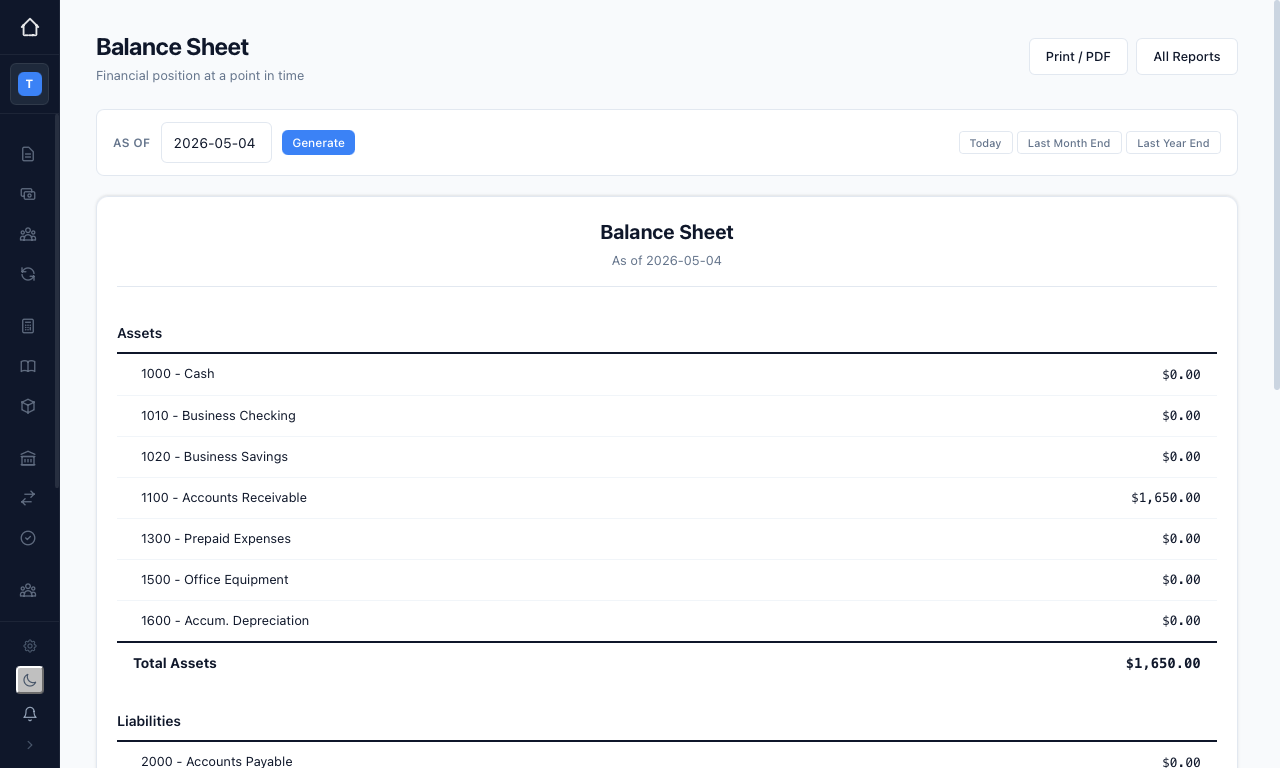
- Balance Sheet — your assets, liabilities, and equity as at a single date. Choose an "As of" date, or use "Today" / "Last Year End".
- Cash Flow Statement — cash in and out, split across operating, investing, and financing activities.
Accounting
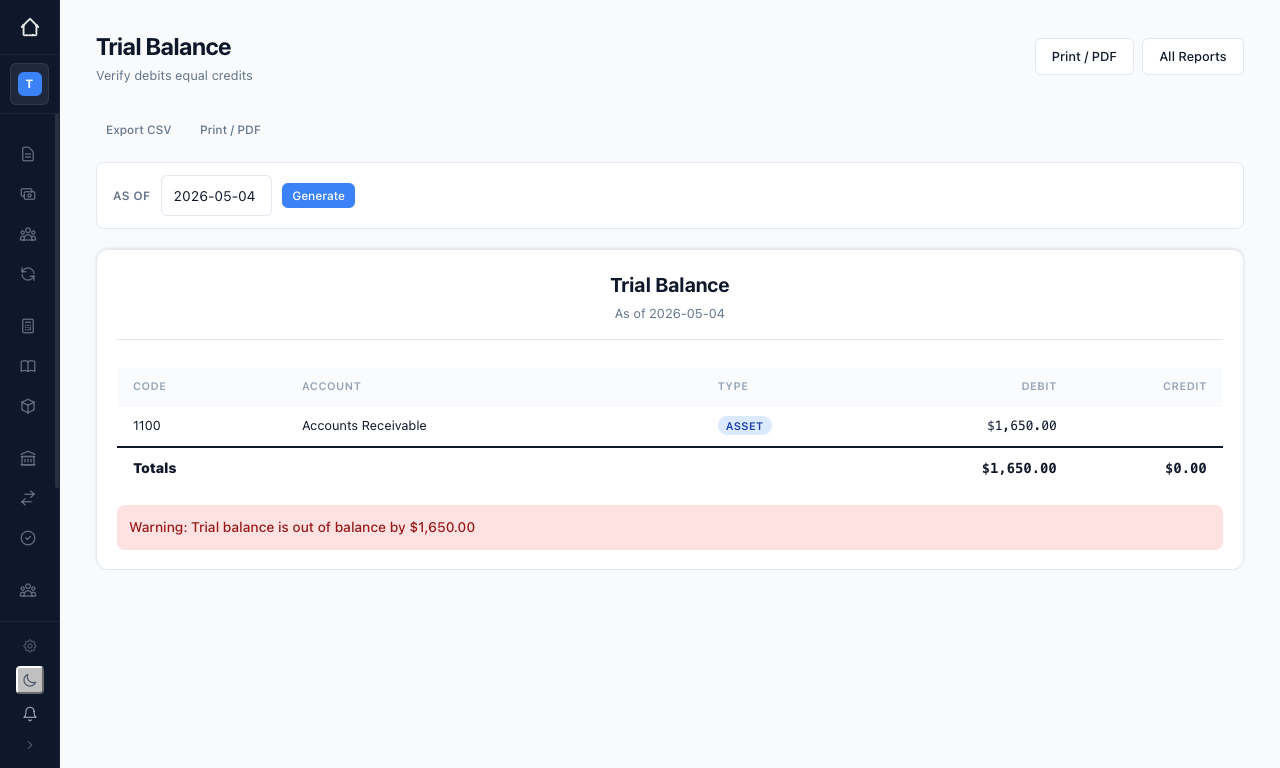
- Trial Balance — every account with its debit or credit balance, so you can confirm the books balance. If total debits do not equal total credits, the report warns you and shows the difference. This helps you catch a lopsided entry before it reaches a statement.
- General Ledger — the complete transaction history for each account, with running balances. This is the report to reach for when you need to see exactly what made up a figure.
Receivables & payables
- AR Aging — outstanding customer invoices grouped by how overdue they are, so you can see who to chase.
- AP Aging — outstanding supplier bills grouped the same way, so you can see what you owe and when.
Analysis
- Expense by Category — your spending broken down by expense account, with percentage bars showing where the money goes.
- Income by Customer — your revenue broken down by customer, with invoice counts.
GST & BAS
The GST Summary is built for your Business Activity Statement. Choose a "Quarterly" or "Monthly" reporting frequency and a period, and equosBooks lays out the BAS-ready figures — GST collected (1A), GST paid (1B), and your net GST position — alongside the labelled fields (G1, 1A, 1B and the rest) that map to the BAS form.
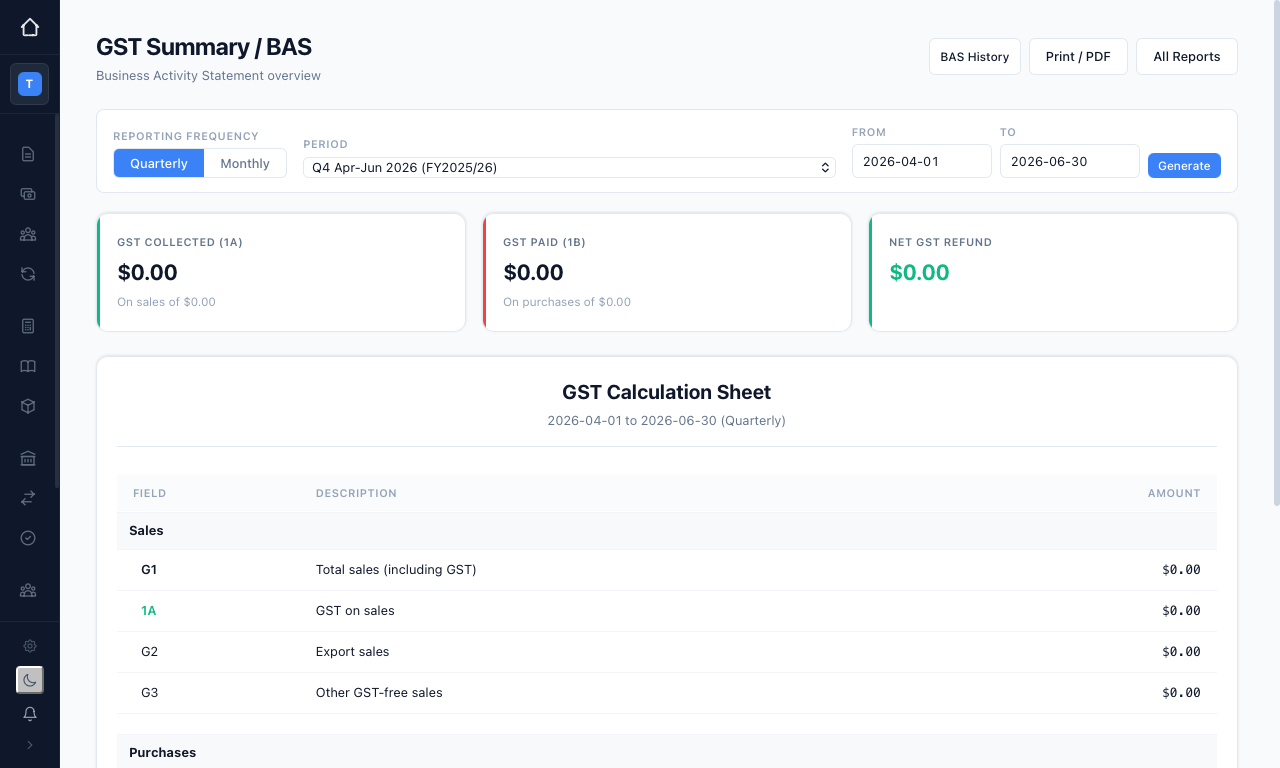
You can keep a history of BAS periods and export the summary for lodgement. This ensures the numbers you report line up with what is actually in your books.
equosBooks prepares the GST figures; it does not lodge them. Your accountant or the ATO handles the lodgement itself.
Group / consolidated
If you run a holding company with subsidiaries, three further reports roll the whole group up into one view:
- Group P&L — consolidated profit and loss across every entity in the group.
- Group Balance Sheet — consolidated assets, liabilities, and equity.
- Group Cash Flow — consolidated cash in and out.
These depend on your consolidation setup — see Multi-Entity & Consolidation for how the group is built.
Exporting
Every report can be exported. Use "Export CSV" to pull the figures into a spreadsheet, or "Print / PDF" to produce a copy for your records or your accountant. This ensures you always have a shareable version of any statement to hand.