🏢 Warehouse
The warehouse module turns your floor into one unbroken flow — from the moment something arrives to the moment it leaves. This page will walk you through how work moves through your warehouse, and point you to the guides for stocktake and storage.
Warehouse is included on the More and Complete plans. If you're on Core, you'll need to upgrade before these tools appear. See Plans & Billing for what each plan includes.
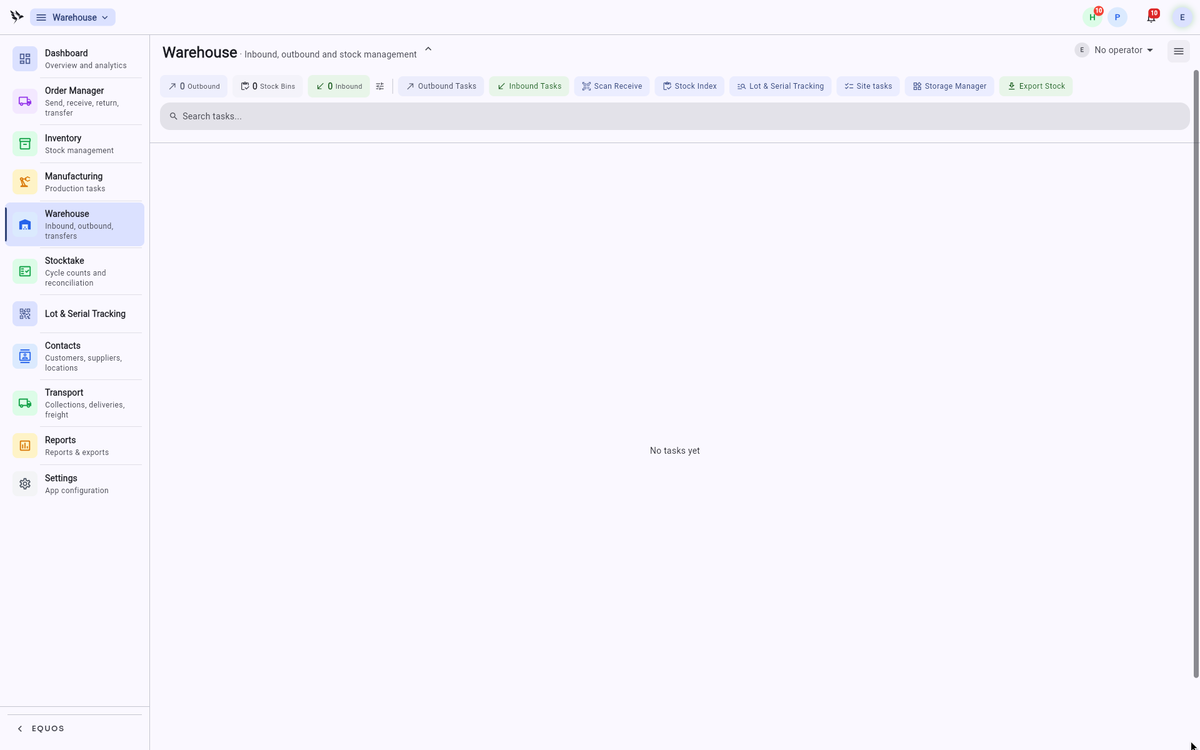 The warehouse dashboard: counts for outbound, inbound, and stock bins across the top, quick actions below, and your open tasks underneath.
The unbroken flow
Everything in your warehouse has an address, and every task has a next step. Receiving, putaway, picking, packing, dispatch — each one leads naturally to the one after it. Nobody stops to work out what happens next, because the next task is already there on the screen.
Your team draws its work straight from your incoming orders, and completed picks feed back into shipping and invoicing. Stock levels stay true in real time as items move in and out. This ensures the picture you see from your desk is the same picture your team is working from on the floor.
Finding your way around
The dashboard is your starting point. The tiles across the top show how much work is waiting — "Outbound", "Inbound", and "Stock Bins" — and the buttons below them take you straight to each part of the module:
- Outbound Tasks: the pick-and-pack queue for orders heading out the door. See Outbound.
- Inbound Tasks: deliveries waiting to be received and put away. See Inbound.
- Stock Index: stock on hand across your warehouse, which you can drill into by bin or by SKU.
- Storage Manager: your zones, locations, and bins — the addresses that guide putaway and picking. See Storage & Bins.
- Export Stock: pull your current stock figures out to a file when you need them elsewhere.
Two more areas sit alongside on the left-hand rail. Stocktake is where you count and reconcile, and warehouse analytics gives you occupancy and activity at a glance — utilisation, operators, and quality across the week.
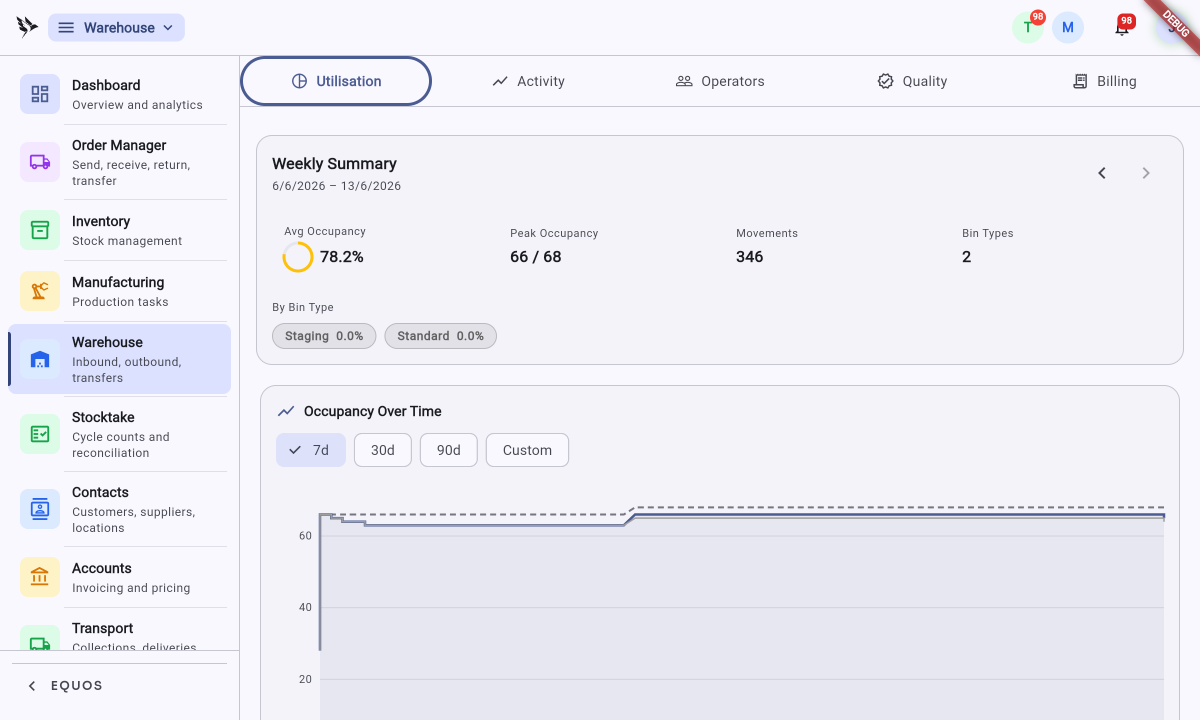 Warehouse analytics: a weekly summary of occupancy and movements, with occupancy plotted over time.
Inbound: receiving and putaway
When a delivery arrives, your team receives it against what was expected. They check what turned up matches the order, flag anything short or over, and confirm the count. This helps prevent surprises turning into stock errors later on.
Putaway follows straight after. Your team is guided to the right location for each item — no paper lists, no guessing which shelf. Because every location has an address, stock lands where it belongs the first time, and it's ready to be found again when an order calls for it.
Outbound: picking, packing, and dispatch
When an order comes through, the pick list appears on the device your team already carries, sorted by the most efficient path through your space. Your team walks the path, scans each item, and confirms as they go. Each scan is recorded, so the pick is accurate and the stock count moves with it.
Packing follows the pick. The right items are grouped for the right order, and labels print where they're needed — a satchel or carton label at the packing bench, a dispatch document where it's wanted. This ensures the consignment is ready to leave without anyone breaking off to sort out paperwork.
From there the goods are dispatched, and the order carries on into shipping. At any moment you can simply look at the floor from anywhere — what's being received, what's being picked, what's packed, what's gone.
What it doesn't do
The warehouse module is built for warehouses where people do the work. It doesn't drive conveyors or robotics, and it won't run wave-planning algorithms across thousands of SKUs. The automation is in the flow of information — clear tasks and directed movement — not in the physical machinery. If your operation runs on clarity and a team that knows where to go, this fits.
Where to next
Best Practices
- Address everything first: Set up your zones, locations, and bins before you go live, so putaway has somewhere to send each item from day one.
- Receive against the order: Always check a delivery against what was expected rather than just counting it in. This is where most stock errors are caught.
- Scan, don't skip: Have your team scan each item during picking rather than confirming from memory — the stock count is only as honest as the scans behind it.
- Count little and often: Regular stocktakes on quiet stock beat one big annual count, and they keep discrepancies small enough to explain.