🛒 Stocktake
A stocktake is a count of what's actually on your shelves, checked against what your records say should be there. This page will guide you through running one on the device your team already carries, surfacing discrepancies as you go, and reconciling them so your stock stays honest.
The stocktake dashboard
The Stocktake dashboard is where every count starts and where you keep an eye on the ones already under way. Across the top, three tiles — "Active", "Completed", and "Finalised" — tell you at a glance how many counts sit in each stage, so you always know what's still open.
- Press "New Stocktake" to start a fresh count.
- Press "All Sessions" to see every count you've run.
- Use the "Search sessions" box to jump to a count by its name or number.
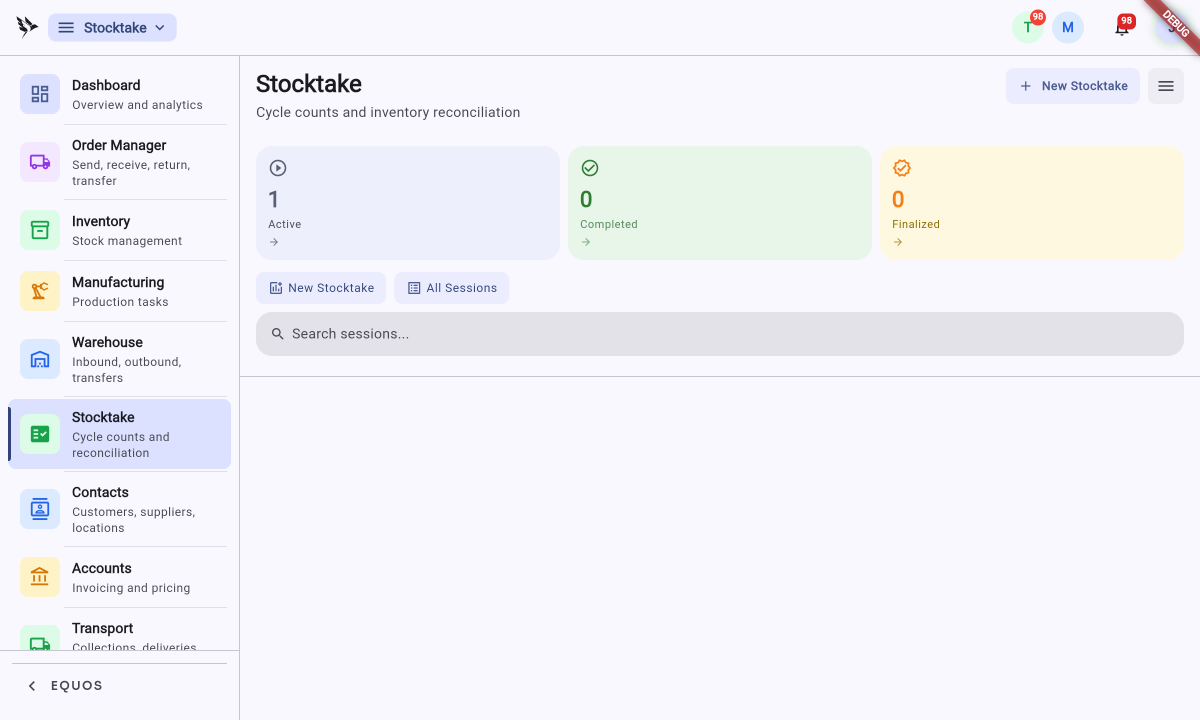
A stocktake moves through a few clear stages: you start a count from the dashboard, walk the space and count on your device, review any discrepancies as they surface, and finalise to commit the corrected figures to stock. Each stage is described below.
Starting a count
You don't need a clipboard or a printed sheet — a count begins on screen and lives on the same device your team already carries.
- Press "New Stocktake".
- Choose what the count covers — a zone, a location, a bin, or a single item.
- Give it a name and confirm.
Your new count appears in the sessions list as a "Draft", ready for your team to begin. Each session card shows its reference (like "STK-0001"), when it was created, and a progress bar — for a bin-based count you'll see something like "0 / 13 bins" with "13 remaining", so you can tell how far along it is without opening it.
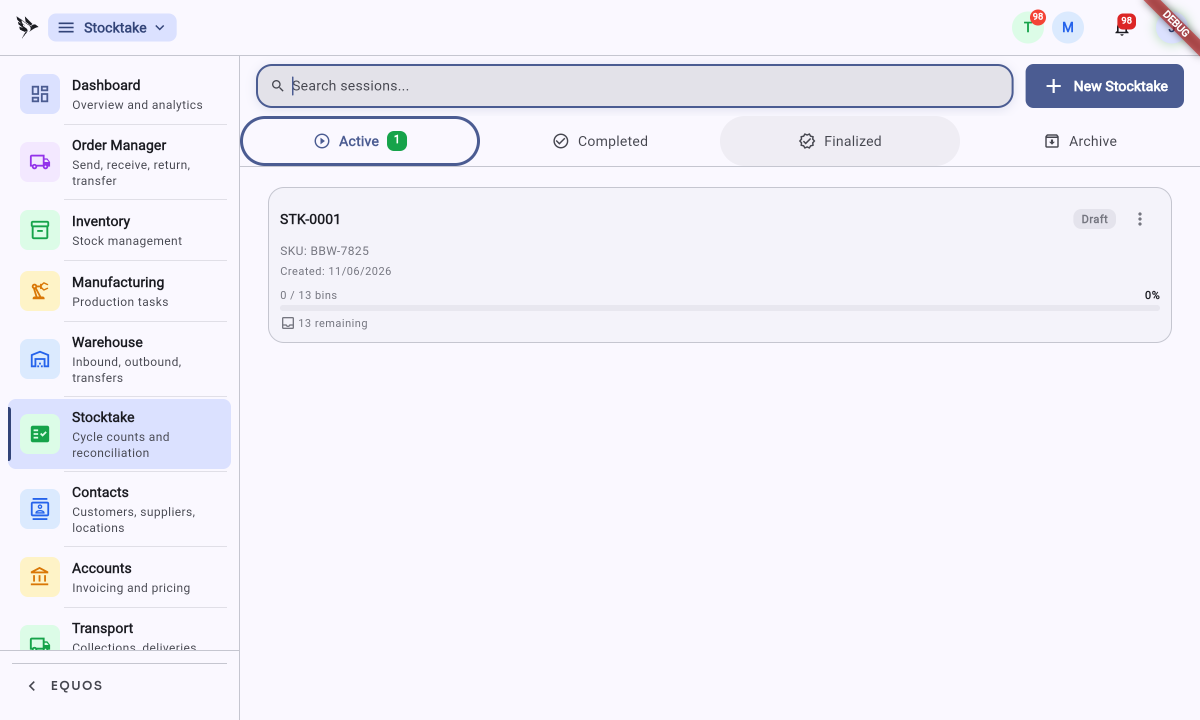 The sessions list, grouped under the "Active", "Completed", "Finalised", and "Archive" tabs.
Working through the count
Your team counts on the same device they use for picking and putaway, walking the space and confirming quantities as they go.
- Your team walks to the addressed location and scans each item.
- They enter the quantity they can see and confirm it.
- The count records who did it and when, automatically.
Because the count follows your storage addresses, your team simply walks to the right spot the first time rather than hunting for what still needs counting. As each bin is confirmed, the session's progress bar ticks up, so you can watch a large count shrink toward "0 remaining".
When the numbers don't match
As each count comes in, it's compared against your recorded stock straight away. Where the two don't agree, the discrepancy surfaces immediately — you don't wait until the end to find out something is off. This helps you spot a miscount or a misplaced item while your team is still standing in front of the shelf.
A surfaced discrepancy is a prompt, not a decision. You can recount the location, check whether stock was moved without being recorded, or accept the figure and move on. The count is yours to review before anything is committed.
Reconciliation and the audit trail
Reconciliation is where you resolve the differences. For each discrepancy you decide whether to accept the counted quantity or investigate further, and you note why. When you accept a corrected figure, the adjustment writes to stock and is stamped with who made it, when, and the reason given.
Every correction leaves this trail. This ensures that months from now you can look back at any adjustment and see exactly who changed the number and why — there's no silent editing of stock.
Finalising a count commits your reconciled figures to stock, and the resulting adjustments can't be undone with a single click — they're recorded movements, so reversing one means making a fresh correcting adjustment. Review your discrepancies and recount anything that looks wrong before you finalise. Once finalised, every change is written to the audit trail.
After the count
Once a count is finalised, your stock reflects what your team actually saw on the shelf, and the audit trail holds the record of every correction that got you there. From here your picking, putaway, and reporting all work from the count you just confirmed.
Regular, smaller counts are easier to reconcile than one large annual sweep, and they keep discrepancies small enough to explain while the trail is still fresh.